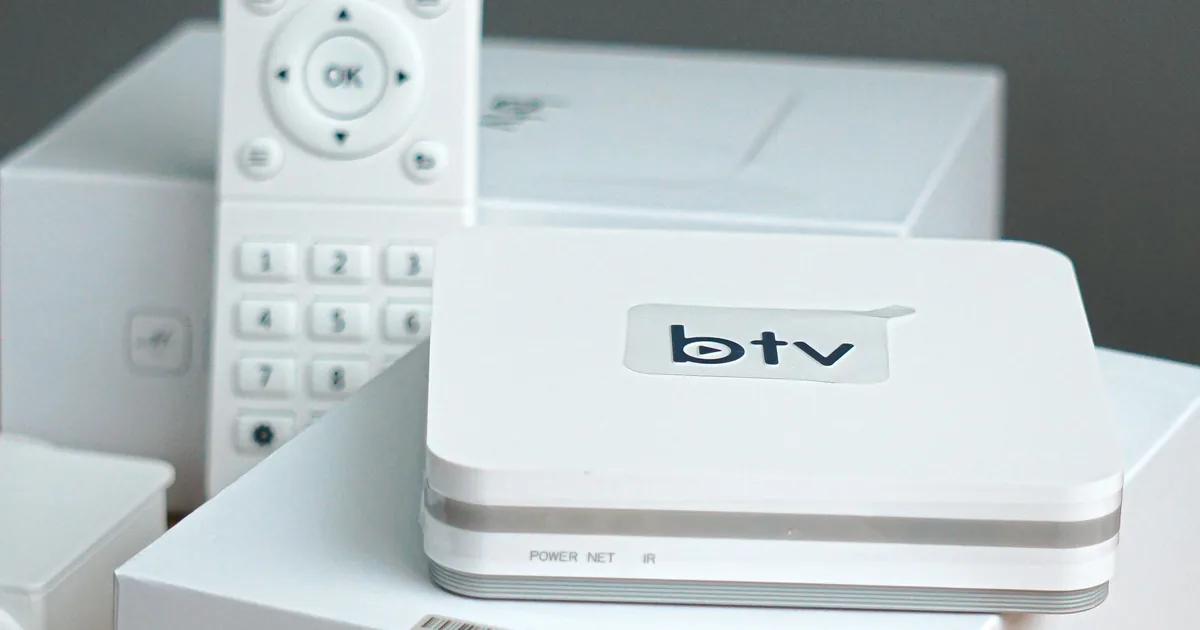
The best IPTV player for Firestick in 2026 depends on how you watch. TiviMate is the strongest TV-first choice for playlist-heavy live TV setups, IPTV Smarters Pro is friendlier for users who want live TV, movies, and series grouped clearly, and alternatives such as XCIPTV, OTT Navigator, and Sparkle TV may fit specific preferences.
This comparison is about player software, not subscription rights. If you still need the installation workflow, use the Firestick IPTV setup guide after choosing a player, or return to the Zorba IPTV for plan context.
IPTV Player Vs IPTV Service
An IPTV player comparison is about software behavior, not channel rights. TiviMate, Smarters, XCIPTV, OTT Navigator, Sparkle TV, VLC, and similar players organize sources you add; they do not make a subscription legal or include premium channels by themselves.
When comparing Firestick players, be skeptical of download pages that bundle player names with channel packages. Judge the app separately from any service being sold beside it.
A player is comparable to an email app: it gives you an interface, settings, search, favorites, and playback controls. The service or playlist is comparable to the account that supplies messages. Confusing the two leads to bad purchases, wrong support requests, and risky downloads that promise channels inside an app that never had rights to provide them.
| Question | IPTV player | IPTV service or playlist |
|---|---|---|
| Provides channels? | No | May provide streams if legally authorized |
| Controls interface? | Yes | Usually no |
| Handles EPG display? | Yes, if data is supplied | Supplies guide data when available |
| Can fix server outages? | No | Provider/source responsibility |
| Can improve remote usability? | Yes | Only indirectly |
Firestick IPTV Player Comparison
Fire TV is remote-first, so the best player must make channel switching, guide browsing, category navigation, and search feel quick from a sofa. Touch-first mobile apps can run awkwardly on a TV even when they install. Prioritize apps with a television layout, large focus states, stable playback settings, and simple credential entry.
| Player | Xtream | M3U | EPG | Best for |
|---|---|---|---|---|
| TiviMate | Yes | Yes | Strong | Live TV power users who want a TV-style guide |
| IPTV Smarters Pro | Yes | Yes | Good when supplied | Beginners who want live, movies, and series separated |
| XCIPTV | Yes | Yes | Good when supplied | Users who like a provider-style portal interface |
| OTT Navigator | Yes | Yes | Advanced | Tinkerers who want deep organization controls |
| Sparkle TV | Yes | Yes | Good | Android TV users who prefer a lean, modern interface |
Do not choose purely from a ranking list. Match the app to your playlist format, household skill level, remote habits, and device storage. A feature-packed player is not better if the people using the TV cannot find favorites or recover when a channel fails.
When TiviMate Is The Better Firestick Choice
TiviMate’s main advantage is its television-first interface. The Google Play listing describes it as designed for Android TV and remote-control navigation, which is exactly the shape Firestick users usually want. It supports playlist viewing, TV guide behavior, favorites, catch-up where provided, recording, search, parental controls, and multiview according to its store listing.
The caution is that TiviMate is not optimized for phones or tablets and does not provide content. On Fire TV, availability and installation path can differ from Android TV through Google Play, so verify the official download route before installing. If you are deciding specifically between TiviMate and Smarters, use TiviMate when live-channel guide speed matters more than a broad VOD-style home screen.
For the complete walkthrough, go to the TiviMate Firestick guide.
When IPTV Smarters Pro Fits Better
IPTV Smarters Pro is often easier for beginners because it separates Live TV, Movies, Series, and account-style login flows in a familiar way. Smarters-branded materials commonly describe the app as a media player rather than a content provider, while feature pages describe M3U support, live TV organization, VOD, series, catch-up support when supplied, subtitles, and external player support.
Choose Smarters when your provider gives clear Xtream Codes credentials and your household wants obvious tiles rather than a dense channel-grid experience. Be extra careful with lookalike domains and unofficial apps, because the Smarters name is frequently copied by sites that also sell subscriptions or make unsupported claims.
For exact setup steps, use the IPTV Smarters Pro setup guide.
How To Pick The Right Player For Your Household
Use a short test instead of debating forever. Add the same legal playlist to two candidate players, load the EPG, favorite ten channels, play live TV for fifteen minutes, open a VOD item if your source includes one, and ask the least technical person in the house to find a channel. The winner is usually obvious.
Decision checklist
- Choose TiviMate when the channel guide and remote speed matter most.
- Choose IPTV Smarters Pro when beginners need clear content categories.
- Choose OTT Navigator when advanced sorting and customization matter.
- Choose Sparkle TV when you prefer a cleaner Android TV-style interface.
- Avoid any player that claims to include premium channels by itself.
Once you choose, continue with the Xtream Codes setup guide if your provider supplied a server URL, username, and password.
Firestick Performance And Storage Tips
A player can only perform as well as the device, network, and source allow. Older Firesticks with low storage can stutter when the EPG database grows, especially if many apps are installed. Keep several hundred megabytes free, uninstall unused apps, clear only the player cache when troubleshooting, and restart the device after large updates.
If every app buffers, the player is probably not the root cause. If only one player buffers while another plays the same stream well, compare playback engine settings, hardware decoding, buffer size, and external player options. Change one setting at a time so you can reverse it.
For network-level symptoms, jump to the IPTV buffering troubleshooting hub.
Comparison Criteria That Matter On Fire TV
A Firestick IPTV player comparison should be judged by TV behavior, not by how nice the app looks in a phone screenshot. The important criteria are remote navigation, EPG speed, channel zapping, M3U and Xtream support, playlist management, VOD handling, recording support where available, and whether the app remains usable on lower-storage Fire TV models.
TiviMate tends to win when the household watches live channels through a guide. IPTV Smarters Pro tends to feel easier when the source includes live TV, movies, and series and the viewer wants large category tiles. XCIPTV, OTT Navigator, Sparkle TV, VLC, and similar alternatives belong in the conversation only when they solve a specific need rather than making the list longer.
| Criterion | Why it matters | Who should care most |
|---|---|---|
| Remote navigation | Fire TV is sofa-first | Everyone |
| EPG speed | Large playlists can lag | Sports and live TV viewers |
| Multi-playlist support | Separates sources cleanly | Power users |
| Recording | Requires app support and storage | Time-shift viewers |
| VOD layout | Makes movies and series browsable | Households using VOD categories |
Best Player By Viewer Type
Choose TiviMate if the main screen in your head is a cable-style guide. Its value is organization: groups, favorites, guide browsing, catch-up where supplied, and a remote-first live TV workflow. Do not choose it because someone said it is universally best; choose it because the household actually watches live channels that way.
Choose IPTV Smarters Pro if the household needs a friendly launcher for live TV, Movies, Series, and profile-style login. It is often easier to explain to a beginner. Choose OTT Navigator or Sparkle TV when you want more control over sorting, layout, and Android TV behavior. Keep VLC as a diagnostic tool for a raw M3U stream, not as the main living-room interface for most families.
Short recommendations
- Guide-first live TV: TiviMate.
- Beginner-friendly live/VOD categories: IPTV Smarters Pro.
- Deep organization controls: OTT Navigator.
- Modern Android TV-style alternative: Sparkle TV.
- Quick playlist test: VLC.
Where This Comparison Stops
This page should help readers pick a player, not walk them through every Downloader screen. Once a reader has chosen TiviMate, Smarters, or another app, the installation details belong in the general Firestick setup article or the app-specific child guide.
If the reader has not installed anything yet, send them to How to Install IPTV on Firestick. If the decision is already TiviMate or Smarters, use the dedicated TiviMate guide or Smarters guide.
That separation prevents keyword cannibalization. The comparison page owns the choice. The install page owns the device workflow. The child pages own app-specific login and settings.
Firestick Player Scorecard
A useful comparison page should help a reader score players against their own habits. Give one point for each must-have: Xtream login, M3U support, EPG that handles large lists, VOD layout, recording, multiple playlists, remote-friendly search, and simple favorites. The player with the highest score for the household wins, even if another app is more popular online.
| Need | TiviMate | Smarters Pro | OTT Navigator | VLC |
|---|---|---|---|---|
| TV-style EPG | Strong | Moderate | Strong | Weak |
| Beginner tiles | Moderate | Strong | Moderate | Weak |
| Raw playlist test | Good | Good | Good | Strong |
| VOD browsing | Moderate | Strong | Varies | Weak |
| Power customization | Strong | Moderate | Strong | Weak |
The scorecard is deliberately qualitative because app versions, device models, and feature packaging change. It avoids fake testing claims while still giving readers a practical way to decide.
Fire TV Model Considerations
Older Firesticks can run out of patience before they run out of theoretical compatibility. Large EPG imports, heavy VOD libraries, and multiple playlists put pressure on storage and memory. A player that feels excellent on a newer 4K Max can feel sluggish on an older stick with little free space.
If the reader owns an older Firestick, prioritize a lean setup: fewer visible groups, one playlist at first, modest EPG refresh frequency, and a player with a clear remote interface. If they are buying hardware specifically for IPTV, the player decision and device decision should be made together.
Questions A Real Comparison Should Answer
Is TiviMate always better than Smarters? No. It is often better for live guide navigation, but Smarters can be better for a family that uses Movies and Series tiles every day. Is VLC a main IPTV player? Usually not for living-room use, but it is excellent for checking whether an M3U stream itself works. Is recording worth choosing a player for? Only if the device storage and source behavior support it reliably.
The comparison should also answer what not to do: do not install five players permanently on a low-storage stick, do not buy a premium unlock before confirming the source works, and do not mistake a player's popularity for proof that it fits your playlist.
Advanced Dimensions For Power Users
Power users should compare more than the headline features. Look at how each player handles category hiding, channel renaming, EPG assignment, catch-up indicators, external player handoff, subtitle/audio tracks, parental controls, and backup or export options. These features matter once the novelty of installing the app wears off and the player becomes part of daily TV use.
Recording deserves special skepticism on Firestick. A player may support recording in principle, but stable recording also depends on storage, source permissions, device sleep behavior, and whether the stream remains available. Anyone choosing a player mainly for recording should test a short recording, a scheduled recording, and playback of that recording before trusting it.
Another underrated dimension is support discoverability. If an app has clear official documentation, update notes, or a stable developer presence, it is easier to maintain. If every answer comes from old forum posts or reseller screenshots, future troubleshooting will be harder.
Why This Guide Does Not Rank Every IPTV App
The Firestick IPTV ecosystem contains many small or renamed players. Including every app would create a longer list without better decisions. This guide focuses on players that represent distinct use cases: guide-first viewing, beginner-friendly tiles, advanced organization, lightweight diagnostics, and Android TV-style alternatives.
A shorter comparison also reduces false confidence. A player can be available today and disappear tomorrow, or work in one region but not another. The durable advice is to choose by criteria and verified source, not by a giant numbered list that treats obscure clones as equal to maintained players.
A Living-Room Stress Test Before You Commit
Before paying for a premium unlock or deleting other players, run a living-room stress test. Add the same lawful source to your top two choices, load the guide, favorite ten channels, search for one channel by name, open one VOD item if available, and hand the remote to someone who did not configure the app. The better player is the one that survives that handoff.
This test avoids fake certainty. It does not require claiming Zorba tested every player on every Firestick. It gives readers a practical way to compare their own source, device, and household. If TiviMate feels powerful but confusing, Smarters may win. If Smarters feels simple but too shallow for live TV, TiviMate may win.
Stress-test tasks
- Load guide from a cold start.
- Jump between three channels.
- Search with the Fire TV remote.
- Create and reopen favorites.
- Restart the app and confirm settings persist.
FAQ
What is the best IPTV player for Firestick?
TiviMate is often best for live TV guide use, while IPTV Smarters Pro is often easier for beginners. The best choice depends on your playlist format and household preferences.
Does TiviMate include channels?
No. TiviMate is a media player only. You must add your own lawful playlist or service.
Does IPTV Smarters Pro support Xtream Codes?
Smarters-branded materials describe login and playlist support including common provider credential formats, but exact availability can vary by app version, platform, and source.
Can one IPTV player fix buffering?
Sometimes a different playback engine helps, but buffering is often caused by network, device, or source problems rather than the player alone.
Should I install multiple IPTV players?
Testing two players is reasonable, but keeping many unused apps can waste storage and make Firestick performance worse.
Research Sources
These sources were used to verify time-sensitive sports details, app behavior, device platform constraints, and compatibility claims.