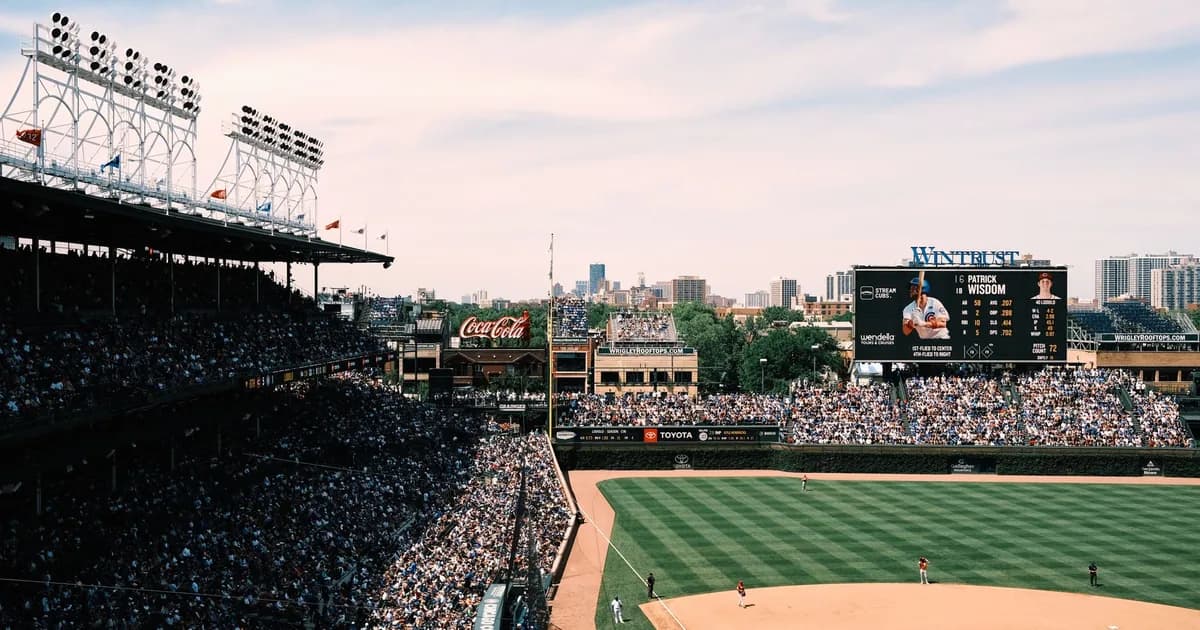
Game 1 of the 2026 World Series is scheduled for Friday, October 23 on FOX. The matchup is not final until the American League and National League Championship Series are complete, so this guide focuses on the confirmed viewing path, schedule framework, devices, and the checks US fans should make before the first pitch.
For the whole postseason path before the Fall Classic, use the broader MLB playoffs guide. If you are comparing service options at the same time, start from the Zorba IPTV homepage.
Where To Watch The 2026 World Series In The US
This World Series guide was checked on September 27, 2026 against MLB and FOX information. The durable fact is that Game 1 is scheduled for Friday, October 23 on FOX; the participating teams and some game-specific details depend on the ALCS and NLCS results.
Use a legitimate FOX path for the Fall Classic. Unauthorized World Series streams are especially likely to be unstable because demand spikes and takedowns concentrate around the same few games.
FOX is the key network for the 2026 World Series. Depending on your setup, access may come through a local FOX station, a live TV streaming plan that includes your local FOX affiliate, the FOX app with TV-provider authentication, or a FOX streaming product where available. The exact best path depends on your market and subscription.
| Viewing path | What it usually requires | Best pre-game check |
|---|---|---|
| Local FOX station | Antenna or TV package with local FOX | Confirm local affiliate reception or provider lineup |
| Live TV streaming service | Plan that carries local FOX in your ZIP code | Use channel lookup before subscribing |
| FOX app or website | Authenticated provider or supported FOX streaming subscription | Sign in and play live FOX before Game 1 |
| Mobile viewing | FOX-supported app or live TV provider app | Check location permission and device limits |
Do not wait for Game 1 to discover whether a streaming bundle includes your local broadcast station. Local network access is one of the most common differences between ZIP codes, and a national brand name on a plan page does not guarantee every affiliate in every market.
2026 World Series Schedule Framework
MLB announced Game 1 for October 23, 2026. The full World Series can run as few as four games or as many as seven, so fans should treat Games 5, 6, and 7 as if-necessary dates until MLB confirms the series result. The home-field pattern is also tied to league champion seeding and MLB rules.
| Game | Date | US TV/streaming | Status |
|---|---|---|---|
| Game 1 | Friday, Oct. 23 | FOX | Scheduled |
| Game 2 | Saturday, Oct. 24 | FOX | Scheduled if series active |
| Game 3 | Monday, Oct. 26 | FOX | Scheduled if series active |
| Game 4 | Tuesday, Oct. 27 | FOX | Scheduled if series active |
| Game 5 | Wednesday, Oct. 28 | FOX | If necessary |
| Game 6 | Friday, Oct. 30 | FOX | If necessary |
| Game 7 | Saturday, Oct. 31 | FOX | If necessary |
The table is a planning aid, not a substitute for MLB’s live bracket. Rain, travel, series length, and network programming can affect details. Check the official schedule on the morning of each game and again an hour before first pitch.
What To Know Before The Teams Are Final
The participating teams are not official until the ALCS and NLCS conclude. Avoid guides that publish predicted matchups as if they are confirmed. Predictions can be fun, but they should not determine which app you download, which plan you buy, or whether you invite friends for a particular market’s local broadcast.
Once the matchup is final, the most important details to re-check are start time, ballpark, starting network listing, Spanish-language options, and whether any pregame or postgame coverage uses a different app from the game itself. The game broadcast and shoulder programming can have different availability.
Best Devices For World Series Streaming
A modern Smart TV is simplest when the FOX or live TV provider app is available and responsive. If the TV is older, a streaming stick or box can be more reliable because apps receive updates longer and generally have faster processors. Fire TV, Android TV, Apple TV, Roku, phones, tablets, and browsers can all be valid if they support the app you need.
For a watch party, wire the most reliable device to the most reliable network path. Ethernet is ideal if the room supports it. If you must use Wi-Fi, place the device on a strong 5 GHz or Wi-Fi 6 connection, stop large downloads, and keep a second signed-in device ready in case the primary app crashes.
If the app is available on your television but performs poorly, compare alternatives in the Smart TV IPTV app guide or use the Firestick IPTV setup guide to prepare a dedicated streaming device.
World Series Streaming Problems To Fix Before First Pitch
The best troubleshooting happens the day before the game. Open the app, verify the account, play the local FOX station or another FOX live event, and leave enough time for a password reset. If your plan includes FOX only through a local affiliate, test from the same home network you will use during the game.
| Problem | Likely reason | Action |
|---|---|---|
| FOX missing from guide | Local channel not included in plan | Check ZIP-code channel lineup and switch plan if needed |
| App asks for TV provider | Authentication required | Sign in with a supported provider or use a plan with FOX access |
| Video buffers during inning | Network congestion | Restart router, move device, or use Ethernet |
| Mobile stream blocked | Location or device policy | Enable location services and confirm provider rules |
| Picture quality drops | Adaptive bitrate responding to bandwidth | Stop other traffic and test speed near the device |
For broader playback issues, use the IPTV buffering troubleshooting hub instead of changing ten settings at once.
Avoid Unauthorized World Series Streams
The World Series is one of the most impersonated sports events online. Search results, social posts, and message boards may point to pages that mimic real broadcast language but have no rights to the game. Those streams often fail during peak demand and can expose viewers to deceptive downloads or account theft.
A legitimate option should be traceable to FOX, MLB, a recognized live TV provider, or an authorized app. If a site claims to carry the World Series but avoids naming a rights holder, requires sideloading a strange player, or asks for unrelated personal information, close it and use the official schedule to find the real option.
FOX Access Paths For Game 1 And Beyond
The World Series viewing question is narrower than the full postseason question: can you watch FOX live for every game your local market receives? Start by checking whether your local FOX affiliate is available through an antenna, cable or satellite package, live TV streaming service, FOX-supported app, or FOX streaming product. The right answer is market-specific.
Antenna viewers should rescan channels before Game 1, especially if the antenna has moved since the regular season. Live TV streaming viewers should use the provider's ZIP-code channel lookup rather than a national marketing page. App viewers should sign in and play a live FOX feed before the pregame show, because provider authentication can fail even when the app itself opens.
If you rely on a local affiliate, verify the station call sign and channel number from more than one place: the provider lineup, the TV's over-the-air scan results, and the official FOX or MLB game listing near first pitch. A local news app or FOX local stream may not carry the same sports rights as the national FOX World Series telecast, so treat local news access and game access as separate checks.
| Path | Good fit | World Series check |
|---|---|---|
| Antenna | Strong local FOX signal | Rescan and test during prime time |
| Live TV streaming | Cord-cutters needing local FOX | Confirm affiliate by ZIP code |
| Cable/satellite login | Existing TV subscribers | Authenticate FOX app before Game 1 |
| FOX streaming product | Standalone FOX access where available | Confirm it includes live World Series coverage |
What Changes After The ALCS And NLCS End
Before the pennant winners are official, a World Series guide should not pretend to know the matchup. After the ALCS and NLCS end, three details become worth rechecking: home-field order, local pregame coverage, and whether your household needs a local team radio or Spanish-language option in addition to the FOX telecast.
The teams can also change how people watch together. A local team in the World Series may drive more antenna use, local station coverage, and neighborhood watch parties. A neutral matchup may make the national FOX feed enough. Either way, the viewing path still starts with FOX, not a prediction blog or unauthorized stream list.
If you maintain a calendar, update it only after MLB posts the final matchup. Avoid filling Games 5, 6, and 7 as certain events. They are useful planning holds, but they remain if-necessary games until the series score demands them.
World Series Watch-Party Preparation
A World Series watch party puts more stress on the setup than one person casually watching a Tuesday game. Test the biggest screen, the actual sound system, and the exact app or tuner input. If friends are coming over for Game 1, do not make the first live test ten minutes before first pitch.
For streaming, reduce avoidable network traffic before the game. Pause console downloads, cloud backups, and large software updates. If you are using a live TV streaming app, keep the account owner's password and two-factor method available. A surprising number of game-night failures are account prompts, not bandwidth problems.
Game-day checklist
- Open the FOX path at least one hour before first pitch.
- Confirm audio is in sync on the TV or soundbar.
- Keep a phone or laptop signed in as a backup.
- Know whether your local FOX path is antenna, provider, or app-based.
- Do not depend on a social-media stream or unofficial mirror.
World Series-Specific Troubleshooting
If FOX is missing from a live TV streaming guide, the first fix is not clearing cache; it is checking whether the plan carries your local FOX affiliate. If the FOX app asks for a TV provider, the issue is authentication. If the antenna picture breaks up, adjust reception and rescan. Each path has its own failure mode.
If the video buffers only during the World Series but other apps work, demand may be stressing the app, your home network, or the provider route. Try the same FOX feed on a second device. If both devices fail on the same account and network, switch networks if possible or use another authorized viewing path.
For earlier rounds, return to the MLB playoffs guide. For general freezing diagnostics, use the IPTV buffering guide without treating it as a rights workaround.
How To Treat Games 5, 6, And 7
Games 5, 6, and 7 are planning holds, not promises. If the series ends in four games, those nights disappear. If the series reaches Game 6 or Game 7, demand and attention climb sharply, which is when account, network, and app problems feel most painful. Put the possible dates on your calendar, but label them if necessary.
For a subscription decision, this matters because a viewer who signs up only for the World Series may need enough billing runway to cover a possible October 31 Game 7. For a watch party, it matters because you should not invite people to an if-necessary game without making clear that the matchup may already be over.
The practical move is to test FOX before Game 1 and then re-test before any elimination game. Elimination games attract more casual viewers and can reveal app-capacity problems or account prompts at the worst possible time.
Using An Antenna For The World Series
An antenna can be a clean World Series option if your local FOX station is strong. It avoids streaming latency, account authentication, and app outages. It also depends heavily on geography, building materials, antenna placement, and local signal conditions. A cheap indoor antenna near a window may work beautifully in one home and fail in another.
Run a channel scan several days before Game 1 and again after moving the antenna. Test during the evening, because interference and household electronics can change reception. If the picture breaks up during the test, solve that before the game by repositioning the antenna, trying a different room, or using a streaming backup.
| Check | Good sign | Problem sign |
|---|---|---|
| Channel scan | FOX appears with stable signal | FOX missing or duplicate weak channels |
| Evening test | No dropouts over 15 minutes | Pixelation when people move around |
| Audio/video sync | TV speakers or soundbar stay synced | Delay that worsens over time |
| Backup | Streaming login is ready | No second option if reception fails |
FOX App Authentication Pitfalls
If you use the FOX app or website, the key question is whether your account has live FOX entitlement. Installing the app is not enough. The app may ask for a TV provider, a FOX streaming subscription, or another supported sign-in depending on current FOX product rules and your market.
Authentication problems often look like loops: sign in, return to app, get asked again. Try completing sign-in on a phone or laptop, then reopen the TV app. If that fails, test the same account in a browser. If browser playback works but TV app playback does not, the issue is device-app specific rather than account-wide.
Before an elimination game, sign out and back in only if you have the account owner's password and two-factor method nearby. Otherwise, a last-minute reset can turn a working session into a locked one. Also confirm that the provider account includes the local FOX station, not just national sports networks with similar branding.
Latency, Spoilers, And Live Sports Delay
World Series delay matters because phones, group chats, and sports apps can reveal a home run before the stream shows the pitch. Antenna and cable feeds are often closer to real time than streaming apps, while live TV streaming and authenticated apps can vary by device. If the game is a social event, turn off score alerts and be careful with second-screen apps.
If delay is unacceptable, test multiple authorized paths during pregame. Compare antenna, live TV app, and FOX app timing if you have more than one option. Choose the stable path first and the lowest-latency path second; a fast feed that buffers during late innings is worse than a slightly delayed feed that holds steady.
FAQ
What channel is the 2026 World Series on?
FOX is the announced US TV home for the 2026 World Series. Confirm the game listing on MLB or FOX close to first pitch.
When is Game 1 of the 2026 World Series?
MLB announced Game 1 for Friday, October 23, 2026.
Are the 2026 World Series teams known yet?
No. The teams are not final until the ALCS and NLCS determine the league champions.
Can I stream the World Series without cable?
Yes, if you use a legal streaming option that carries FOX in your location or provides authenticated FOX access.
Should I use an IPTV player for the World Series?
Use official rights-holder apps or authorized providers for World Series games. IPTV players do not grant broadcast rights by themselves.
Research Sources
These sources were used to verify time-sensitive sports details, app behavior, device platform constraints, and compatibility claims.